
We read your photo as:
Answer the following questions: ... [specific questions omitted for brevity] ...
ScanSolve AI Answer
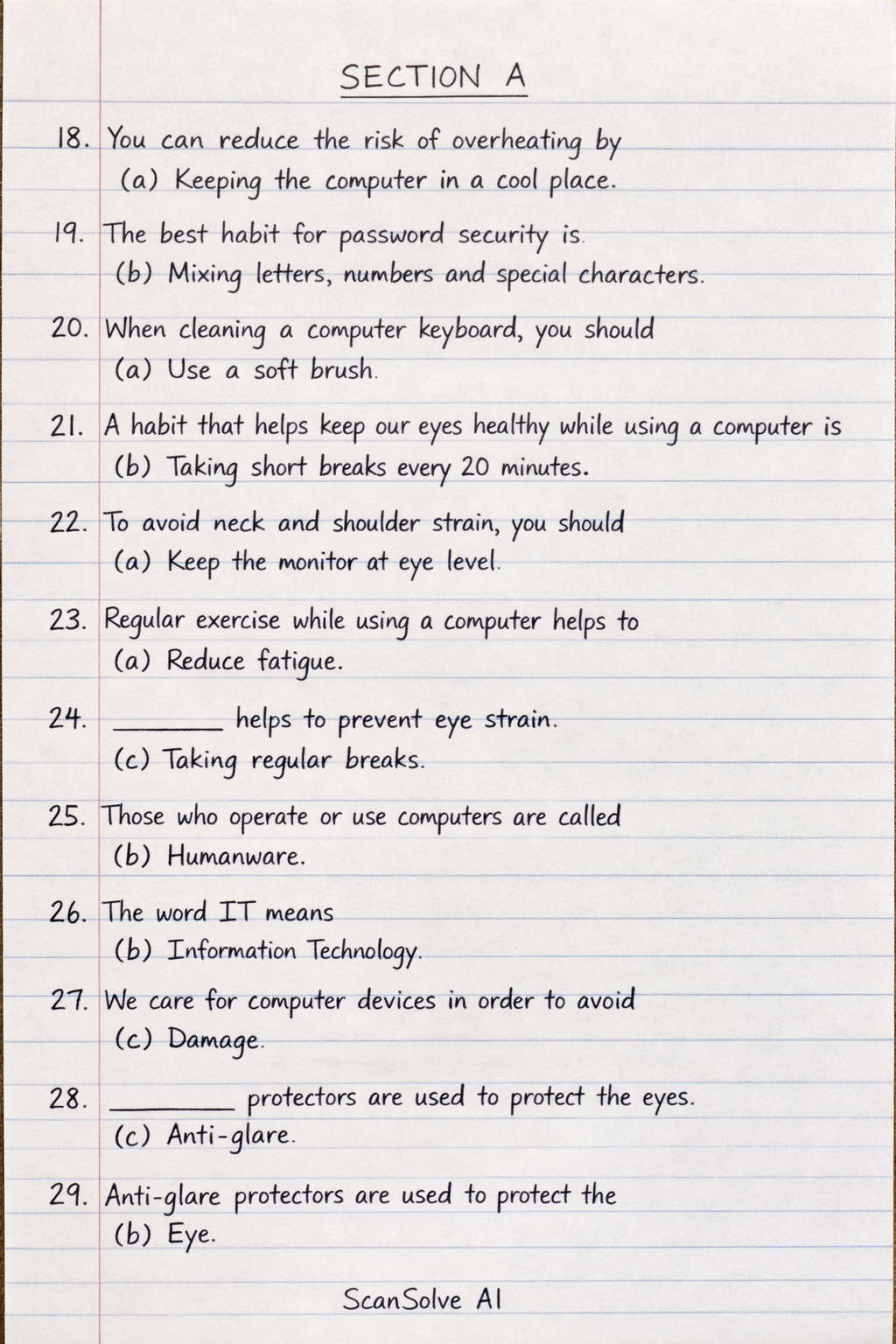
SECTION A
-
You can reduce the risk of overheating by
- (a) Keeping the computer in a cool place
-
The best habit for password security is
- (b) Mixing letters, numbers and special characters
-
When cleaning a computer keyboard, you should
- (a) Use a soft brush
-
A habit that helps keep our eyes healthy while using a computer is
- (b) Taking short breaks every 20 minutes
-
To avoid neck and shoulder strain, you should
- (a) Keep the monitor at eye level
-
Regular exercise while using a computer helps to
- (a) Reduce fatigue
-
______ helps to prevent eye strain.
- (c) Taking regular breaks
-
Those who operate or use computers are called
- (b) Humanware
-
The word IT means
- (b) Information Technology
-
We care for computer devices in order to avoid
- (c) Damage
-
______ protectors are used to protect the eyes.
- (c) Anti-glare
-
Anti-glare protectors are used to protect the
- (b) Eye
-
A regular polygon with eight sides is called
- (a) Octagon
SECTION B
1a. What is geometric drawing?
Geometric drawing is the creation of shapes and figures using geometric tools like rulers, compasses, and protractors, based on mathematical principles.
1b. Mention two things you can draw with geometric drawing. * • Polygons (e.g., squares, triangles) * • Circles and arcs
2a. Mention two advantages of using a computer for drawing. * • Easy to edit and modify drawings. * • Ability to create precise and complex designs.
2b. Mention two disadvantages of bad posture while working with a computer. * • Neck and back pain. * • Repetitive strain injuries (RSI).
3a. What is anti-glare?
Anti-glare refers to a coating or screen feature designed to reduce reflections and glare from light sources on a display screen, making it easier to view.
3b. Mention two advantages of using anti-glare. * • Reduces eye strain and fatigue. * • Improves visibility of the screen in bright environments.
4a. List two safety rules to follow when using a computer. * • Maintain proper posture. * • Take regular breaks to rest eyes and body.
4b. Mention two dangers of using a dirty computer. * • Overheating due to blocked vents. * • Malfunctions or damage to components from dust accumulation.
5a. Mention four ways to take care of a computer. * • Keep it clean and dust-free. * • Install and update antivirus software. * • Ensure proper ventilation to prevent overheating. * • Handle with care to avoid physical damage.
5b. What are the dangers of eating and drinking in a computer room? * • Spilling liquids can damage electronic components. * • Food crumbs can attract pests or get stuck in keyboards, causing malfunctions.
Still stuck on this one?
Ask a follow-up, and the answer starts from this question.
More Computer Science Questions
Handwritten Step-by-Step Solution
Get this as a handwritten image on WhatsApp — like a tutor wrote it for you.
Try on WhatsApp