
We read your photo as:
Differentiate between unary and Binary operators. (b) Think about what MATLAB can produce if the following statements are typed in the Command Window: >> 12 > -5 1 >> 20 = -7 1 >> 1067 >> 2*53
ScanSolve AI Answer
Step-by-step solution
4 stepsPart a
A unary operator acts on a single operand. Examples include the negation operator (e.g., -x) or the logical NOT operator (e.g., !true). A binary operator acts on two operands. Common examples are arithmetic operators like addition (+), subtraction (-), multiplication (*), and division (/).
Part b· 4 steps
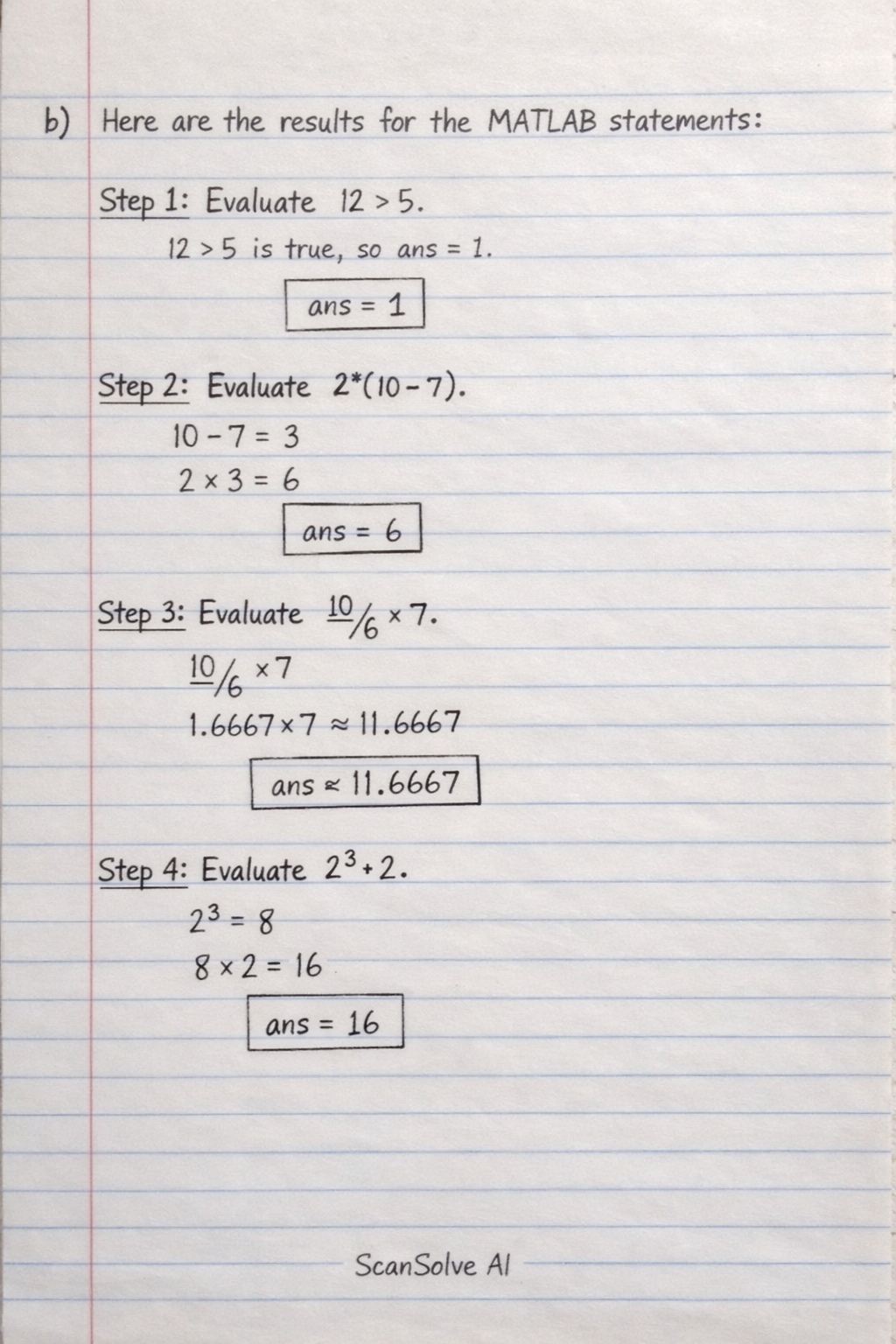
Here are the results for the MATLAB statements:
Evaluate
12 > 5.This is a relational comparison. Since 12 is indeed greater than 5, the result is true. In MATLAB, true is represented by 1.
Evaluate
2*(10-7).First, perform the subtraction inside the parentheses: . Then, multiply by 2.
Evaluate
10/6*7.MATLAB evaluates division and multiplication from left to right.
Evaluate
2^3*2.First, perform the exponentiation: . Then, multiply by 2.
Still stuck on this one?
Ask a follow-up, and the answer starts from this question.
More Computer Science Questions
Handwritten Step-by-Step Solution
Get this as a handwritten image on WhatsApp — like a tutor wrote it for you.
Try on WhatsApp