

This computer science problem involves algorithmic thinking and programming concepts. The solution below explains the approach, logic, and implementation step by step.
ScanSolve AI Answer
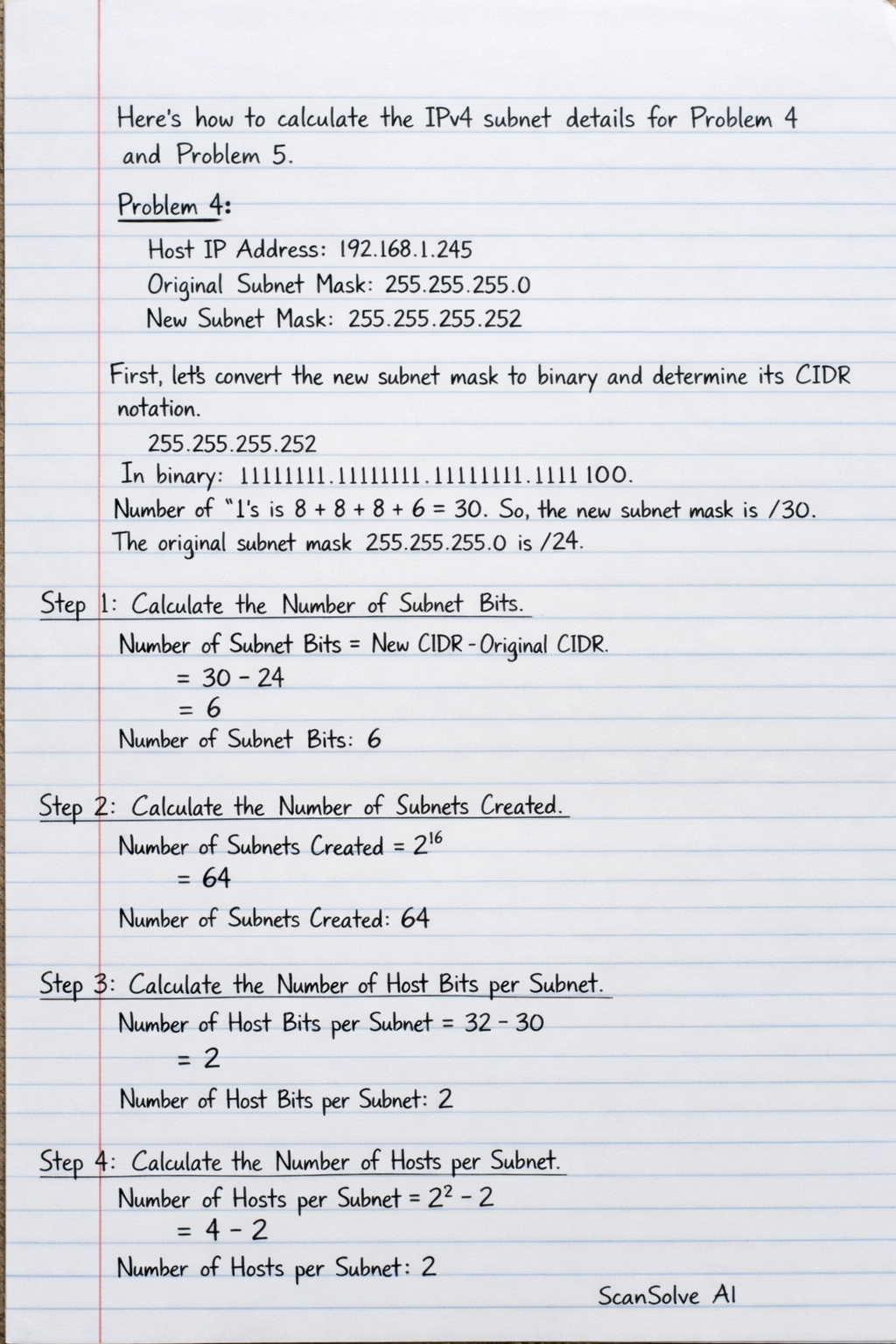
Here's how to calculate the IPv4 subnet details for Problem 4 and Problem 5. Problem 4: Given: Host IP Address: 192.168.1.245 Original Subnet Mask: 255.255.255.0 New Subnet Mask: 255.255.255.252 First, let's convert the new subnet mask to binary and determine its CIDR notation. 255.255.255.252 In binary: 11111111.11111111.11111111.11111100 The number of '1's is 8 + 8 + 8 + 6 = 30. So, the new subnet mask is /30. The original subnet mask 255.255.255.0 is /24. Step 1: Calculate the Number of Subnet Bits. Number of Subnet Bits = New CIDR - Original CIDR = 30 - 24 = 6 • Number of Subnet Bits: 6 Step 2: Calculate the Number of Subnets Created. Number of Subnets Created = 2^6 = 64 • Number of Subnets Created: 64 Step 3: Calculate the Number of Host Bits per Subnet. Number of Host Bits per Subnet = 32 - 30 = 2 • Number of Host Bits per Subnet: 2 Step 4: Calculate the Number of Hosts per Subnet. Number of Hosts per Subnet = 2^2 - 2 = 4 - 2 = 2 • Number of Hosts per Subnet: 2 Step 5: Determine the Network Address of this Subnet. Host IP: 192.168.1.245 New Subnet Mask: 255.255.255.252 For the fourth octet: Host IP fourth octet (245): 11110101_2 Subnet Mask fourth octet (252): 11111100_2 Bitwise AND: c 11110101_2 \\ AND 11111100_2 \\ 11110100_2 11110100_2 is 244 in decimal. So, the Network Address is 192.168.1.244. • Network Address of this Subnet: 192.168.1.244 Step 6: Determine the IPv4 Address of First Host on this Subnet. First Host Address = 192.168.1.244 + 1 = 192.168.1.245 • IPv4 Address of First Host on this Subnet: 192.168.1.245 Step 7: Determine the IPv4 Broadcast Address on this Subnet. The block size for the fourth octet is 256 - 252 = 4. The subnets in the fourth octet are multiples of 4: ..., 240, 244, 248, ... Since the host IP 245 falls into the 244 block, the next network address is 248. The broadcast address for the 192.168.1.244 subnet is one less than the next network address. Broadcast Address = 192.168.1.248 - 1 = 192.168.1.247 • IPv4 Broadcast Address on this Subnet: 192.168.1.247 Step 8: Determine the IPv4 Address of Last Host on this Subnet. Last Host Address = 192.168.1.247 - 1 = 192.168.1.246 • IPv4 Address of Last Host on this Subnet: 192.168.1.246 Problem 5: Given: Host IP Address: 128.107.0.55 Original Subnet Mask: 255.255.0.0 New Subnet Mask: 255.255.255.0 First, let's convert the new subnet mask to binary and determine its CIDR notation. 255.255.255.0 In binary: 11111111.11111111.11111111.00000000 The number of '1's is 8 + 8 + 8 + 0 = 24. So, the new subnet mask is /24. The original subnet mask 255.255.0.0 is /16. Step 1: Calculate the Number of Subnet Bits. Number of Subnet Bits = New CIDR - Original CIDR = 24 - 16 = 8 • Number of Subnet Bits: 8 Step 2: Calculate the Number of Subnets Created. Number of Subnets Created = 2^8 = 256 • Number of Subnets Created: 256 Step 3: Calculate the Number of Host Bits per Subnet. Number of Host Bits per Subnet = 32 - 24 = 8 • Number of Host Bits per Subnet: 8 Step 4: Calculate the Number of Hosts per Subnet. Number of Hosts per Subnet = 2^8 - 2 = 256 - 2 = 254 • Number of Hosts per Subnet: 254 Step 5: Determine the Network Address of this Subnet. Host IP: 128.107.0.55 New Subnet Mask: 255.255.255.0 Bitwise AND: c 10000000.01101011.00000000.00110111 \\ AND 11111111.11111111.11111111.00000000 \\ 10000000.01101011.00000000.00000000 In decimal: 128.107.0.0 • Network Address of this Subnet: 128.107.0.0 Step 6: Determine the IPv4 Address of First Host on this Subnet. First Host Address = 128.107.0.0 + 1 = 128.107.0.1 • IPv4 Address of First Host on this Subnet: 128.107.0.1 Step 7: Determine the IPv4 Broadcast Address on this Subnet. For a /24 subnet, the network address is 128.107.0.0. The broadcast address is the highest address in that range. Broadcast Address = 128.107.0.255 • IPv4 Broadcast Address on this Subnet: 128.107.0.255 Step 8: Determine the IPv4 Address of Last Host on this Subnet. Last Host Address = 128.107.0.255 - 1 = 128.107.0.254 • IPv4 Address of Last Host on this Subnet: 128.107.0.254 3 done, 2 left today. You're making progress.