
We read your photo as:
Using the provided spreadsheet context, calculate total sales for Product J and Thomas, Thomas's total points, and determine customer categories (Gold, Silver, Bronze) and count of Gold customers.
Business/Management
ScanSolve AI Answer
-
a)
- i) To compute the total sales for product J at B9:
- ii) To compute total sales for Thomas at E2:
-
b) To compute the total points for Thomas in cell F2:
-
c)
- i) To determine Cantona's category at G4 (assuming Cantona's points are in F4):
- ii) To determine the number of people with Gold Category in G10 (assuming categories are in G2:G8):
Was this helpful?
Still stuck on this one?
Ask a follow-up, and the answer starts from this question.
Got a different question?Ask your own question
More Business/Management Questions
QHow do you calculate total revenue from quantity and price data in an Excel spreadsheet, using the…QRepresent the number of items bought by Juma, Tom, and Mary using a 3×2 matrix. Represent the prices…QCalculate the sales proportion of Product ABC relative to the total category sales.QCalculate the total revenue from the provided data, showing the steps and formulas used in Excel.QCalculate the total points for menu planning criteria based on assigned values for each item.
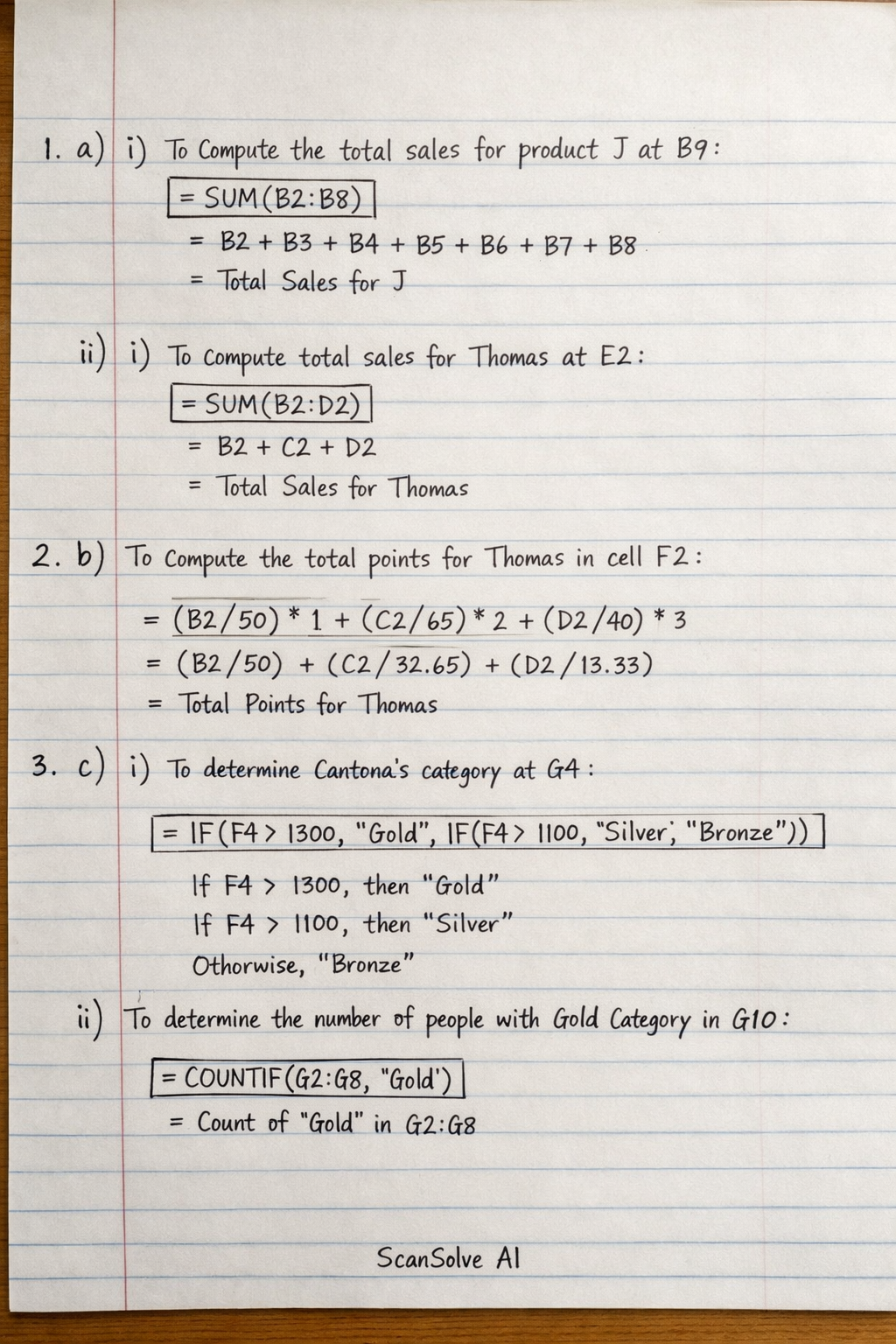
Handwritten Step-by-Step Solution
Get this as a handwritten image on WhatsApp — like a tutor wrote it for you.
Try on WhatsApp