
We read your photo as:
State and Explain three computer buses (3 marks)
Computer Science
ScanSolve AI Answer
Here are the solutions to the questions from the image:
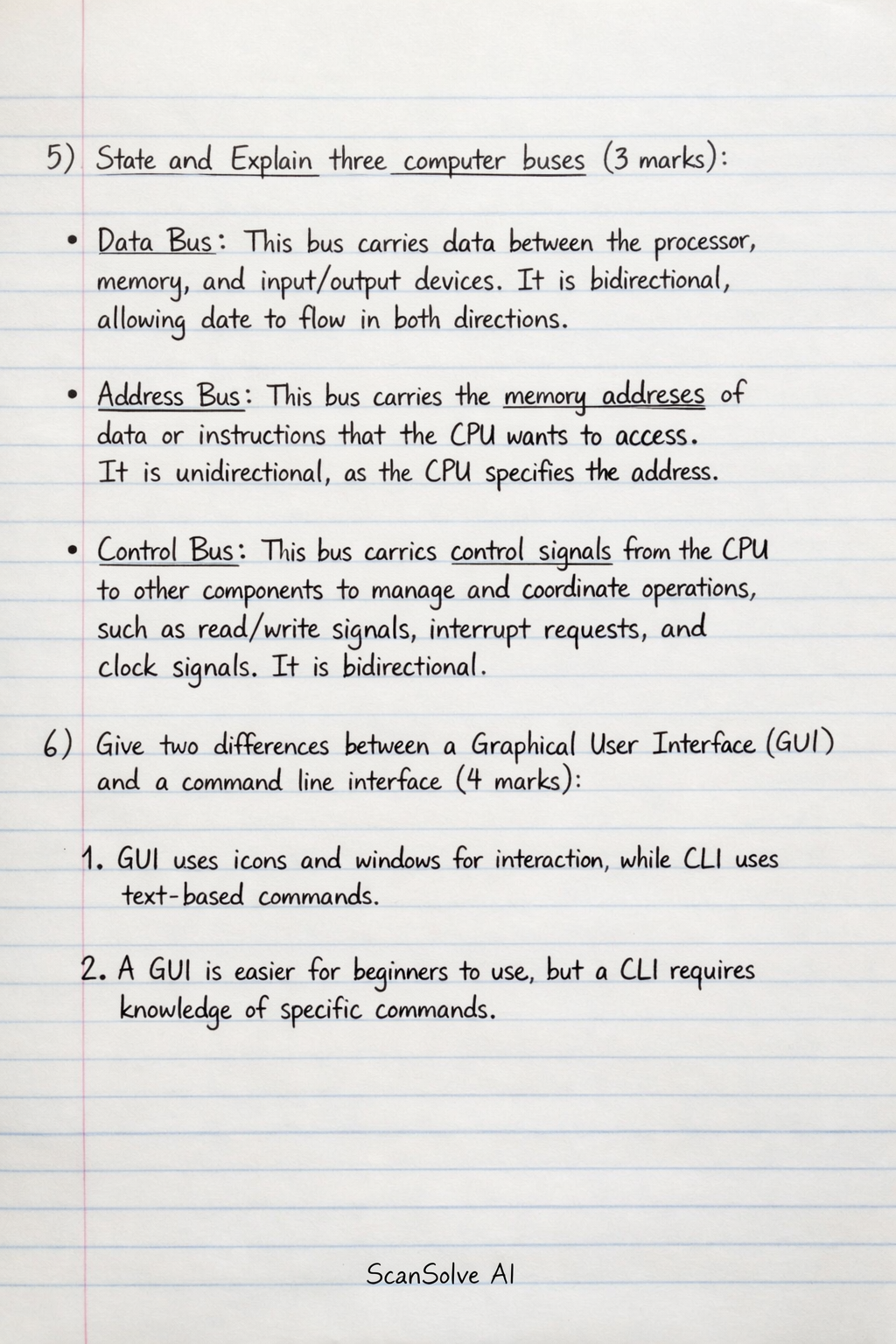
5) State and Explain three computer buses (3 marks)
- Data Bus: This bus carries data between the processor, memory, and input/output devices. It is bidirectional, allowing data to flow in both directions.
- Address Bus: This bus carries the memory addresses of data or instructions that the CPU wants to access. It is unidirectional, as the CPU specifies the address.
- Control Bus: This bus carries control signals from the CPU to other components to manage and coordinate operations, such as read/write signals, interrupt requests, and clock signals. It is bidirectional.
6) Give two differences between a Graphical User Interface (GUI) and a command line interface (4 marks)
- Interaction Method: A GUI uses visual elements like icons, menus, and windows, allowing users to interact with the system by clicking, dragging, and typing. A Command Line Interface (CLI) requires users to type specific text commands to perform tasks.
- Ease of Use: GUIs are generally more user-friendly and intuitive for beginners dueating their visual nature and direct manipulation. CLIs require users to memorize commands and syntax, making them less intuitive for new users but powerful for experienced ones.
- Resource Usage: GUIs typically consume more system resources (memory, processing power) due to rendering graphical elements. CLIs are lightweight and consume fewer resources, making them faster for certain tasks and suitable for systems with limited resources.
- Precision/Automation: CLIs offer greater precision and are highly suitable for scripting and automating repetitive tasks. GUIs are less efficient for automation, often requiring manual interaction for each step.
7) Explain the importance of layering as used in DTP. (1 mark)
- Layering in Desktop Publishing (DTP) allows designers to organize and manipulate different elements (text, images, shapes) of a document independently. This enables non-destructive editing, where changes to one element on a layer do not affect elements on other layers, making complex designs easier to manage and revise.
8) State two items that an electronic mail should have for it to be sent (2 marks)
- Recipient's Email Address: The email must have a valid 'To' address specifying who the email is being sent to.
- Subject Line: While technically optional for sending, a subject line is crucial for the recipient to understand the email's content and is generally considered a required field by most email clients for a complete message.
- Body Content: The email must contain some content in the message body, even if it's just a single character.
9) State four ways in which you can tell that your computer is invaded by virus (4 marks)
- Slow Performance: The computer runs unusually slow, takes a long time to start up or shut down, or applications open sluggishly.
- Unexpected Pop-ups/Ads: You experience frequent and unsolicited pop-up advertisements or redirects to unfamiliar websites.
- Unusual System Behavior: Programs crash frequently, files disappear or become corrupted, or the computer performs actions without your input.
- Suspicious Network Activity: Your internet connection is unusually slow, or you notice unexplained network traffic even when not actively using the internet.
- Security Software Disabled: Your antivirus software is disabled or cannot be updated, or you receive warnings that your security software is not running.
- New/Unknown Programs: You find new programs or toolbars installed on your computer that you did not intentionally install.
Was this helpful?
Still stuck on this one?
Ask a follow-up, and the answer starts from this question.
Got a different question?Ask your own question
More Computer Science Questions
QMention 5 types of computer networkQAddress Bus: This bus carries memory addresses from the Central Processing Unit (CPU) to other…Q2) i) Define the term Operating System and state any two (02) of its functions. (4 Marks) ii)…QBy the help of a diagram display the types of computer network and explain any twoQName three types of transport
Handwritten Step-by-Step Solution
Get this as a handwritten image on WhatsApp — like a tutor wrote it for you.
Try on WhatsApp