
We read your photo as:
Convert each of the following to the number system indicated: i) Convert 1101.10112 to decimal number. ii) Convert 20.687510 to binary number.
ScanSolve AI Answer
Answers
2 partsStep-by-step solution
11 stepsHere are the solutions to the questions.
11. (c) Convert each of the following to the number system indicated
Part i· 3 steps
Convert to decimal number.
Convert the integer part () to decimal.
Convert the fractional part () to decimal.
Combine the integer and fractional parts.
The decimal equivalent is .
Part ii
Convert to binary number.
Convert the integer part () to binary using repeated division by 2.
remainder 0
remainder 0
remainder 1
remainder 0
remainder 1
Reading the remainders from bottom up gives .Convert the fractional part () to binary using repeated multiplication by 2.
Reading the integer parts from top down gives .Combine the integer and fractional parts.
The binary equivalent is .
11. (d) Using 8-bit twos complement perform the following arithmetic
Convert to 8-bit binary.
Convert to 8-bit binary.
Find the two's complement of (which represents ).
Original binary:
One's complement (invert bits):
Two's complement (add 1 to one's complement):So, in 8-bit two's complement is .
Perform the addition .
Discard the carry-out bit (the 9th bit) for 8-bit arithmetic.
The 8-bit result is .
Convert this binary result back to decimal to verify:
The result of using 8-bit two's complement is (which is ).
20. (a) Distinguish between formatting a disk and partitioning a disk with reference to the operating system.
- Partitioning a disk is the process of dividing a physical hard drive into one or more logical sections, called partitions. Each partition acts as an independent storage unit, allowing the operating system to treat them as separate drives (e.g., C:, D:). Partitioning defines the structure of the disk.
- Formatting a disk (or a partition) is the process of preparing it for use by an operating system by creating a file system (e.g., NTFS, FAT32). This file system organizes how data is stored and retrieved. Formatting typically erases all existing data on the selected partition or disk. Formatting defines how data is stored within a partition.
Try one yourself
A new problem that tests the same skill.
Still stuck on this one?
Ask a follow-up, and the answer starts from this question.
More Computer Science Questions
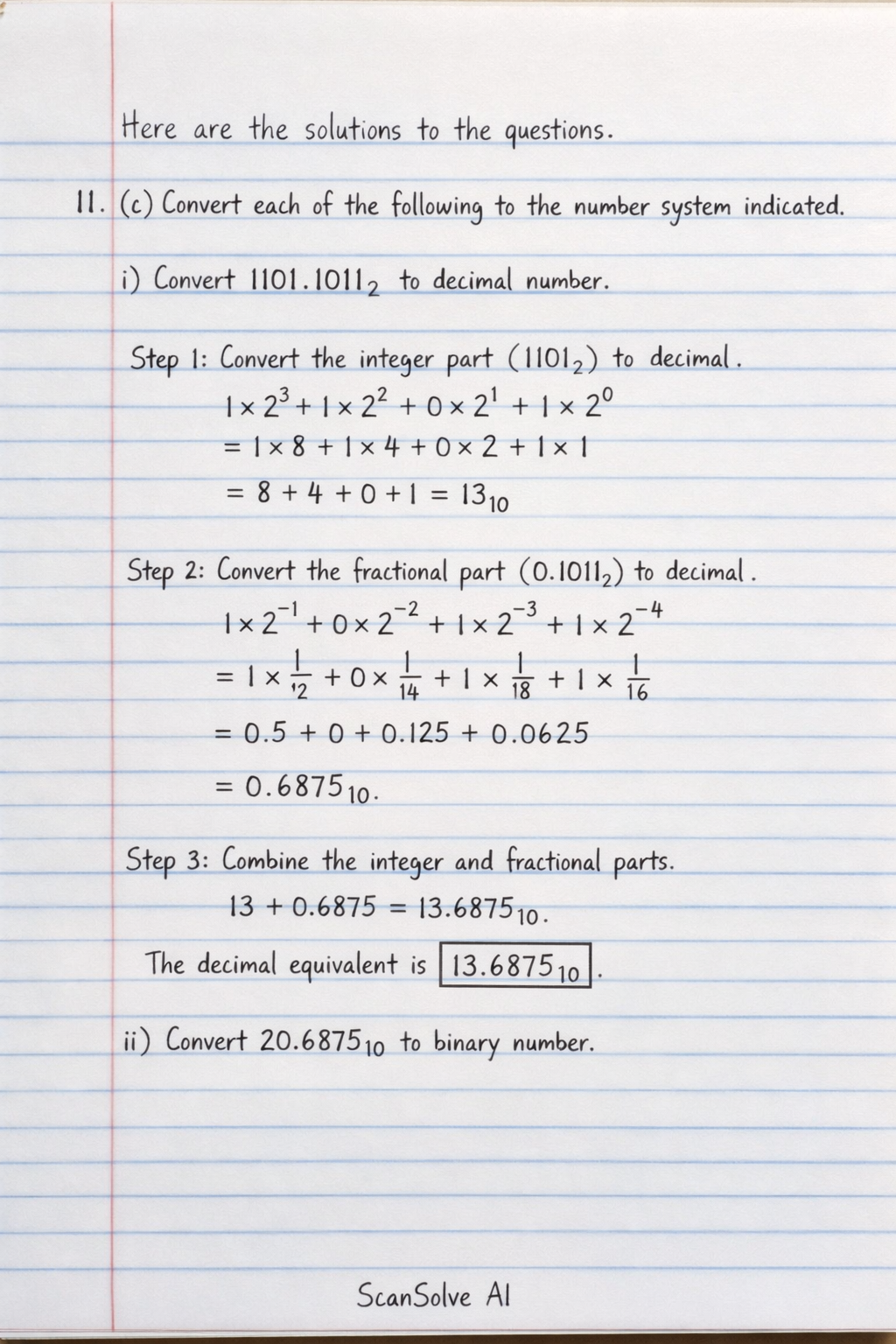
Handwritten Step-by-Step Solution
Get this as a handwritten image on WhatsApp — like a tutor wrote it for you.
Try on WhatsApp