
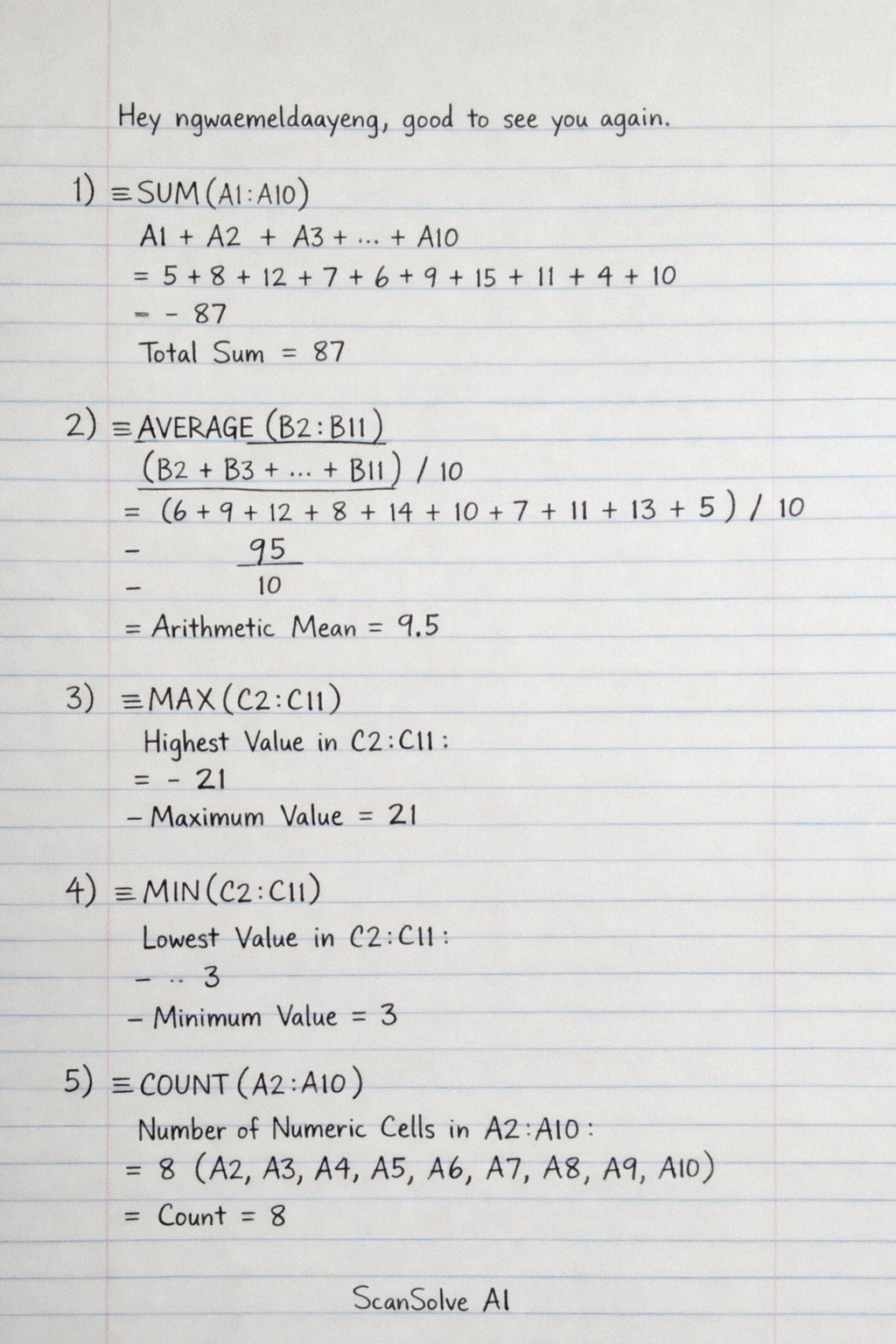
We read your photo as:
Explain the purpose of the following spreadsheet formulas: =SUM(A1:A10), =AVERAGE(B2:B11), =MAX(C2:C11), =MIN(C2:C11), =COUNT(A2:A10), and =IF(A2>=0, "Pass", "Fail").
Computer Science
ScanSolve AI Answer
Here's a breakdown of the spreadsheet formulas and their purposes from your notes:
-
Formula:
=SUM(A1:A10)- Purpose: Calculates the total sum of all numerical values within the specified range from cell A1 to A10.
-
Formula:
=AVERAGE(B2:B11)- Purpose: Calculates the arithmetic mean (average) of all numerical values within the specified range from cell B2 to B11.
-
Formula:
=MAX(C2:C11)- Purpose: Finds the highest (maximum) value among all numerical values within the specified range from cell C2 to C11.
-
Formula:
=MIN(C2:C11)- Purpose: Finds the lowest (minimum) value among all numerical values within the specified range from cell C2 to C11.
-
Formula:
=COUNT(A2:A10)- Purpose: Counts the number of cells within the specified range from cell A2 to A10 that contain numerical data.
-
Formula:
=IF(A2>=0, "Pass", "Fail")- Purpose: Performs a logical test. If the value in cell A2 is greater than or equal to 0, it returns "Pass"; otherwise, it returns "Fail". This is used for decision-making.
Was this helpful?
Still stuck on this one?
Ask a follow-up, and the answer starts from this question.
Got a different question?Ask your own question
More Computer Science Questions
QWrite down the complete formula that would perform the following computations; a. Calculate average…QDemonstrate how to formulate AVERAGE and SUM in spreadsheets and how to add rows/columns.QExcel formulas and functions: calculating costs, applying percentage increases, counting, and…QHow are the columns TOTAL, AVG, RANK, and REMARK calculated in the spreadsheet, and how do I fill in…QComplete the spreadsheet tasks as outlined in sections 2.1 to 2.9, modifying text, inserting…
Handwritten Step-by-Step Solution
Get this as a handwritten image on WhatsApp — like a tutor wrote it for you.
Try on WhatsApp