
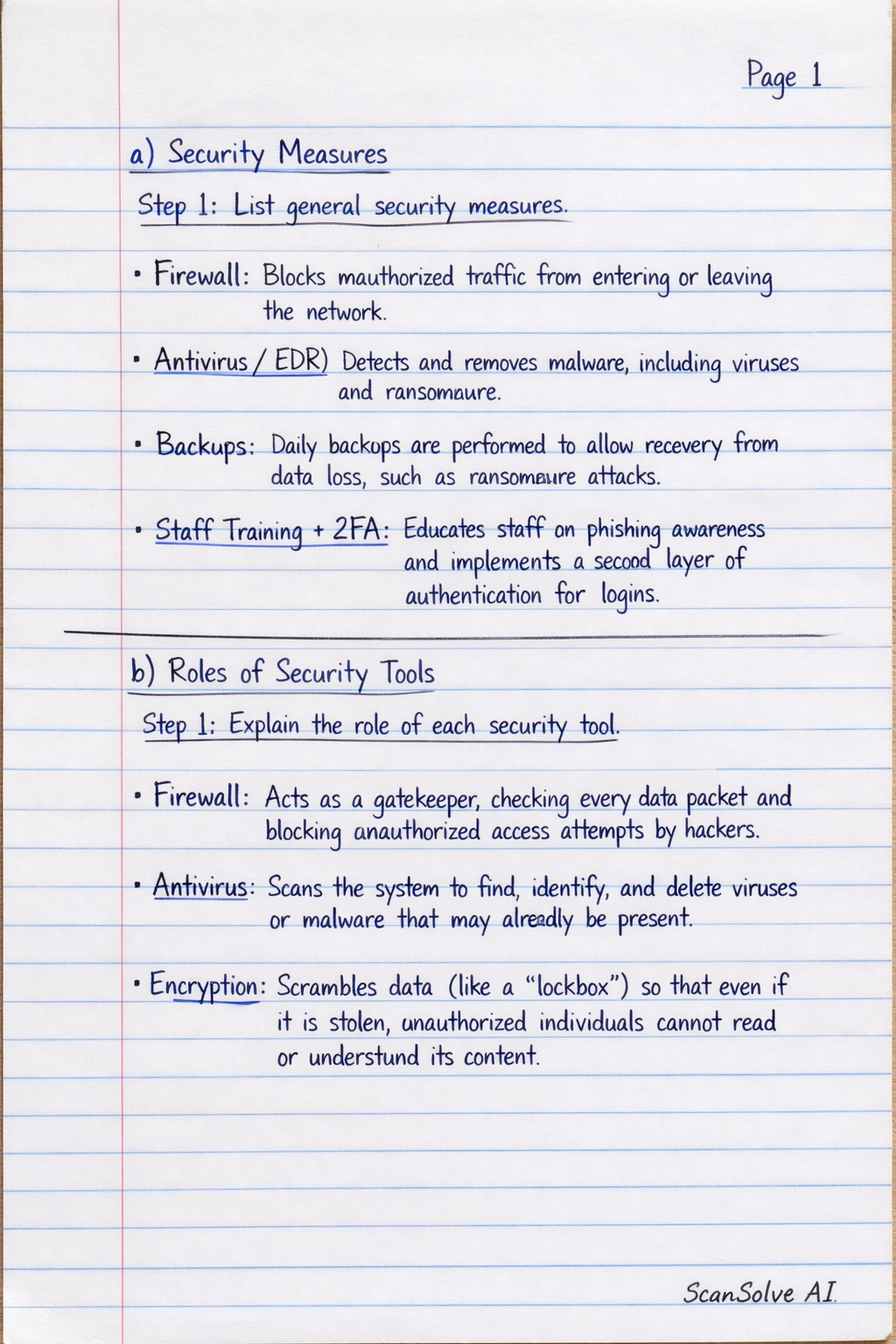
We read your photo as:
QUESTION 12: ICT IN BUSINESS OPERATIONS
Computer Science
ScanSolve AI Answer
Step-by-step solution
7 stepsHere are the answers based on the questions implied by your notes:
Part a· 1 step
Security Measures
List general security measures.
- Firewall: Blocks unauthorized traffic from entering or leaving the network.
- Antivirus/EDR (Endpoint Detection and Response): Detects and removes malware, including viruses and ransomware.
- Backups: Daily backups are performed to allow recovery from data loss, such as ransomware attacks.
- Staff Training + 2FA (Two-Factor Authentication): Educates staff on phishing awareness and implements a second layer of authentication for logins.
Part b· 1 step
Roles of Security Tools
Explain the role of each security tool.
- Firewall: Acts as a gatekeeper, checking every data packet and blocking unauthorized access attempts by hackers.
- Antivirus: Scans the system to find, identify, and delete viruses or malware that may already be present.
- Encryption: Scrambles data (like a "lockbox") so that even if it is stolen, unauthorized individuals cannot read or understand its content.
Part c· 1 step
Basic Security Policy for Staff
Outline essential security policies for employees.
- Password Management: Use strong passwords and change them every three months.
- Email Vigilance: Do not click on suspicious links or open attachments from unknown emails.
- Physical Security: Lock the PC when leaving the desk unattended.
- Incident Reporting: Report suspicious emails or any system issues to IT immediately.
- USB Device Policy: Do not use external USB drives without prior IT scanning.
Part 12· 4 steps
ICT in Business Operations
1) How ICT Improves Daily Operations
Explain how ICT enhances different aspects of daily business.
- Sales: Point-of-Sale (POS) systems and mobile money tracking enable faster sales processing and eliminate manual errors.
- Communication: WhatsApp Business and email facilitate instant customer orders and communication, improving responsiveness.
- Record Keeping: Using Excel or cloud accounting software allows for digital tracking of stock, debtors, and profit, improving accuracy and accessibility.
2) Suitable Software Tools
Identify suitable software tools and their benefits.
- QuickBooks/Xero (Accounting Software): Automates profit/loss calculations and tax reporting, saving time and reducing errors.
- Odoo/Zero Inventory (Stock Control Software): Provides real-time inventory tracking, allowing businesses to know when stock is low before it runs out.
- WhatsApp Business: Facilitates customer chat and product catalog display, offering a free marketing channel and direct customer engagement.
3) Risks of Heavy ICT Reliance
Describe the potential risks associated with high dependence on ICT.
- Operational Stoppage: Power or internet outages can bring business operations to a halt.
- Data Loss/Hacking: Cyberattacks can lead to the loss of sensitive customer information and other critical data.
- Cost Implications: Reliance on ICT often involves ongoing software subscription costs and hardware maintenance.
- Manual Work Impairment: If the system crashes, staff may be unable to perform tasks manually, leading to significant downtime.
4) Business Continuity Strategies
Outline strategies to ensure business operations continue during disruptions.
- Power Backup: Utilize UPS (Uninterruptible Power Supply) or generators to maintain power during electricity cuts.
- Cloud Backup: Implement daily cloud backups to securely store data off-site, allowing for recovery in case of local system failure.
- Manual Backup: Maintain a strategy for manual backups of critical data to provide an additional layer of protection.
Was this helpful?
Still stuck on this one?
Ask a follow-up, and the answer starts from this question.
Got a different question?Ask your own question
More Computer Science Questions
Handwritten Step-by-Step Solution
Get this as a handwritten image on WhatsApp — like a tutor wrote it for you.
Try on WhatsApp